GTA 6 PS5 Error Codes List and How to Fix Them
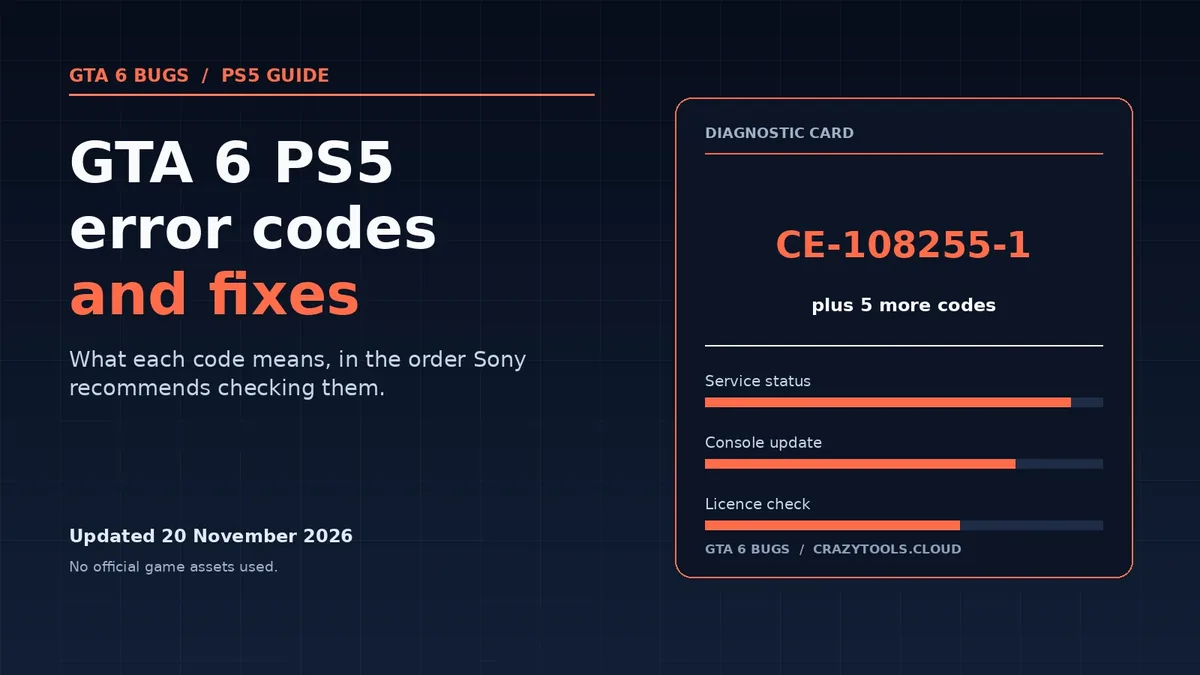
GTA 6 showing a PS5 error code? Here is what CE-108255-1, CE-108262-9, CE-100095-5, CE-107891-6, and common network codes mean, with the right fix order for each.
On this page
- Before You Change Anything
- CE-108255-1: GTA 6 Closed Unexpectedly
- CE-108262-9: PS5 Cannot Read System Software or App Data
- CE-100095-5: There Was an Issue Starting the Application
- CE-107891-6: Content Is Not Installing Properly
- Network Codes: NW-102216-2, NW-102417-5, and CE-105799-1
- The Fix Order That Works for Most PS5 Codes
- What Not to Do
- When to Contact Sony or Rockstar
- FAQ
- Are these GTA 6 bugs?
- Does reinstalling GTA 6 delete my saves?
- Does rebuilding the database delete my saves?
- Why does the same code keep coming back?
- Has Rockstar fixed the PS5 crashes?
- Bottom Line
- Sources and verification
GTA 6 can stop on PS5 with a string of letters and numbers instead of an explanation. The code comes from PlayStation, not from a GTA 6 mission, and each one points at a different part of the chain: the game, the install, the console software, the network, or the console itself.
This guide lists the PS5 codes GTA 6 players are reporting most, what Sony says each one means, and the fix order that makes sense. Start with the code on your screen. Do not factory reset your console because one game failed.
If the game will not start at all, start with our GTA 6 won't launch on PS5 guide. For crashes in the opening mission, see the prologue crashing guide.
Before You Change Anything
- Take a photo of the code before you dismiss it.
- Back up your GTA 6 saves to PlayStation Plus cloud storage or a USB drive if you can.
- Check the PlayStation Network status page before you touch console settings.
- Note whether only GTA 6 fails or other games fail too.
- Change one thing at a time so you know what worked.
CE-108255-1: GTA 6 Closed Unexpectedly
Sony's CE-108255-1 page says an application error occurred. In plain terms, GTA 6 stopped working and the PS5 closed it. The code does not name the cause.
This is the code players reported most in the first 24 hours. GamesRadar counted more than a dozen Reddit posts about it, with crashes after early story moments, on Jason's loading screen, and around Lucia's prison scene. Some players crashed before the opening finished. Others played for 40 minutes before it happened.
Fix order:
- Update GTA 6. Highlight the game, press Options, and choose Check for Update.
- Update the PS5 firmware.
- Restart the console fully. Do not use rest mode.
- Test another PS5 game for 15 to 20 minutes.
- Restore licenses under Settings > Users and Accounts > Other > Restore Licenses.
- Clear the cache and rebuild the database in Safe Mode.
- Reinstall GTA 6 only. Your saves are separate.
- Contact PlayStation Repairs if the console shuts off or other games fail.
Players who tried reinstalling, clearing the cache, rebuilding the database, and restoring licenses say the crash still came back. That does not mean the steps are useless. It means this code can have more than one cause, and a console-side problem will not be fixed by a game reinstall.
For the full walkthrough, see our GTA 6 CE-108255-1 crash guide.
CE-108262-9: PS5 Cannot Read System Software or App Data
Sony's CE-108262-9 page says: "An error occurred while reading the system software or application data." This one points at data the console is trying to read, not at a network login.
Sony's official order is specific:
- Update the PS5 system software.
- Delete the game or app from Settings > Storage, then reinstall it.
- Start the PS5 in Safe Mode and choose Clear Cache and Rebuild Database > Rebuild Database.
- If the error keeps happening, reset the console from Settings > System > System Software > Reset Options > Reset Your Console.
Stop before step 4 unless you have backed up your data. A console reset erases everything on the console storage. Sony says so on the same page.
The code does not prove your SSD is failing. It also does not prove GTA 6 is broken. If it continues after a reset, contact PlayStation Support or PlayStation Repairs with the full history.
CE-100095-5: There Was an Issue Starting the Application
Sony's CE-100095-5 page keeps the fix short:
- Highlight GTA 6, press Options, and select Delete.
- Reinstall the game.
- Keep the console powered on while the installation runs.
That last step matters. If the PS5 enters rest mode or loses power during a large install, the game can look installed but fail to start. GTA 6 is a large download, so give it time and a stable connection.
If GTA 6 is installed on a USB drive, move it to the internal SSD or a supported M.2 drive before you reinstall.
CE-107891-6: Content Is Not Installing Properly
Sony's CE-107891-6 page says content is not installing properly. This usually means the game data is incomplete or damaged.
- Go to Settings > Storage.
- Select the storage where GTA 6 is installed.
- Delete the game with the error.
- Reinstall it.
- If it still fails, try again later.
This code often appears after an interrupted download, a power cut, or a copy from an external drive. GTA 6 needs up to 212 GB of free space depending on the console, so a preload that stopped partway is a common reason the install will not finish.
Install GTA 6 on the internal SSD or a supported expansion drive. Do not run it from a USB hard drive.
Network Codes: NW-102216-2, NW-102417-5, and CE-105799-1
These codes are about the connection, not the game files. They can appear when the PS5 cannot reach PlayStation Network or another online service.
- Check the PlayStation Network status page.
- Restart the router and the PS5.
- Try a wired Ethernet connection.
- Test the internet connection under Settings > Network > Connection Status.
- Try Google DNS at 8.8.8.8 and 8.8.4.4 if DNS is the problem.
Do not delete GTA 6 first. A network error is not fixed by a 200 GB reinstall.
The Fix Order That Works for Most PS5 Codes
When the code is not one of the install-specific ones above, use this order:
- Check PSN status.
- Update GTA 6 and the PS5 firmware.
- Restart the console fully.
- Test another game.
- Restore licenses.
- Check free space and install location.
- Clear the cache and rebuild the database.
- Reinstall GTA 6 only.
- Contact PlayStation Repairs or Rockstar Support.
Code-specific pages override this list. For CE-100095-5 and CE-107891-6, reinstall comes earlier because Sony names the install as the problem.
What Not to Do
- Do not factory reset first. It can erase data and may not fix the code.
- Do not delete your saves to test a theory.
- Do not open the console or replace thermal paste or liquid metal.
- Do not use third-party "PS5 repair" software.
- Do not buy a new console after one error code.
- Do not reinstall before checking PSN status for a network code.
- Do not replay the same crash dozens of times. Report it instead.
When to Contact Sony or Rockstar
Contact PlayStation Repairs if the console shuts off, other games crash, Safe Mode will not load, or you see storage or overheating errors.
Contact Rockstar Support if GTA 6 is the only game affected. Include:
- The exact code.
- Your PS5 model: base, Slim, or Pro.
- Whether the game is disc or digital.
- Your PS5 system-software version.
- The GTA 6 version shown on your console.
- The scene or mission where it happens.
- How often it happens.
- What you have already tried.
- A photo or short video of the error.
Do not include your PSN password, payment details, or other sensitive information.
FAQ
Are these GTA 6 bugs?
Some are. CE-108255-1 is the code players report most with GTA 6 crashes, but Sony describes it as a general application error. CE-108262-9, CE-100095-5, and CE-107891-6 can appear with other PS5 games too. The code tells you where to start, not which company is at fault.
Does reinstalling GTA 6 delete my saves?
No. Deleting the game removes the application, not your saved data. Back up your saves anyway before any storage work.
Does rebuilding the database delete my saves?
Rebuild Database is a maintenance option, not a reset. Sony warns that some Safe Mode options can lead to data loss, so back up first and read each screen.
Why does the same code keep coming back?
Because the underlying cause was not fixed. A reinstall will not repair a failing SSD, a console that overheats, or a network outage. If the code returns after every step, change the diagnosis, not the game.
Has Rockstar fixed the PS5 crashes?
Rockstar has not published a GTA 6-specific patch for CE-108255-1. Its support page still sends console errors to PlayStation and Xbox support. Check the Rockstar service status page and the game's update history before you assume a fix has shipped.
Bottom Line
Write down the exact code first. Then use Sony's page for that code. CE-108255-1 starts with updates and a full restart, CE-108262-9 follows Sony's read-error order, CE-100095-5 and CE-107891-6 start with a clean reinstall, and network codes start with the status page.
Back up your saves before storage work. If the console shuts off or other games fail, stop treating it as a GTA 6 problem and contact PlayStation Repairs.
Sources and verification
This article draws on public sources and verifiable player reports. It is not a hands-on lab test, and claims that are not officially confirmed are described as reported. Read our editorial policy for how we label, review and correct information.
Last reviewed: November 23, 2026.