GTA 6 Xbox Errors: 0x803F8001 and Other Fixes
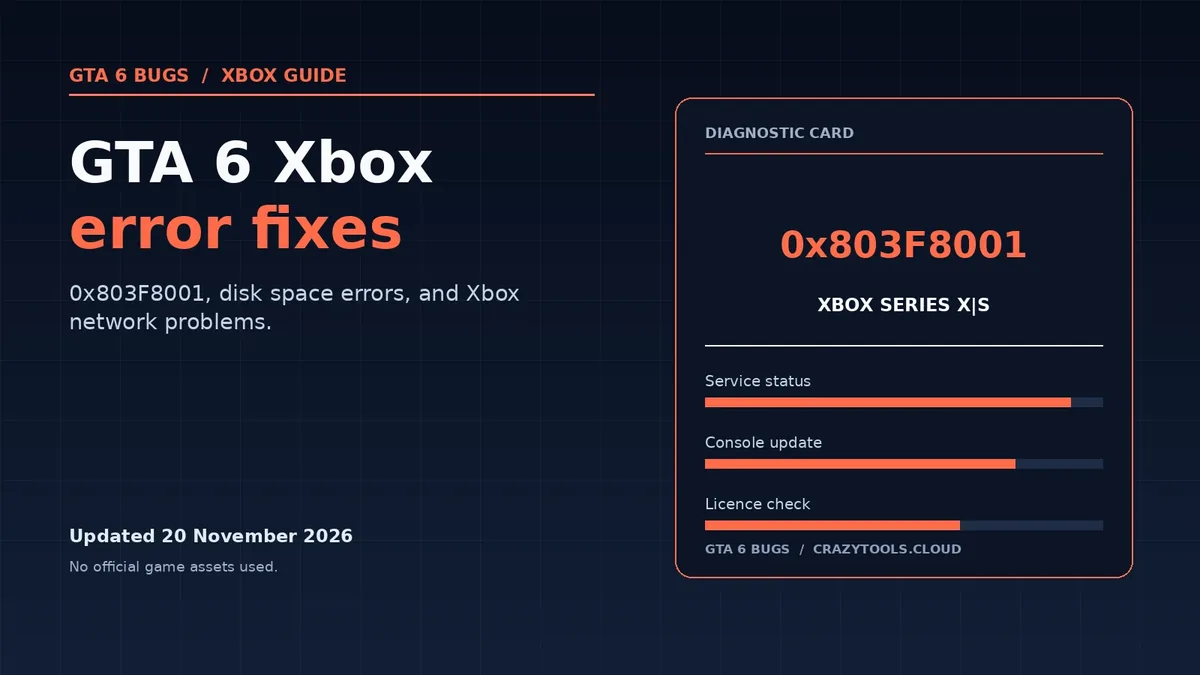
GTA 6 Xbox errors explained: fix 0x803F8001 ownership checks, 0x80070070 storage limits, and 0x80832003 network problems step by step.
On this page
- Which Error Do You Have?
- Xbox Error 0x803F8001: "Do You Own This Game?"
- Fix it step by step
- If you used the New Zealand trick
- Do not buy GTA 6 twice
- Xbox Error 0x80070070: Not Enough Space
- Fix it step by step
- Xbox Error 0x80832003: Temporary Network Problem
- Fix it step by step
- General Xbox Launch Fixes
- If GTA 6 Crashes Instead of Showing a Code
- What Not to Do
- When to Contact Xbox or Rockstar
- FAQ
- What does Xbox error 0x803F8001 mean?
- What does Xbox error 0x80070070 mean?
- What does Xbox error 0x80832003 mean?
- Why does GTA 6 say I do not own it when I bought it?
- Will reinstalling fix an Xbox error code?
- Bottom Line
- Sources and verification
Most GTA 6 errors on Xbox are not game bugs. They are licence checks, storage limits, or Xbox network problems wearing a hexadecimal code. The fix depends on which code you see.
These are the three codes players are reporting most at launch, plus the general Xbox steps that solve the rest.
Which Error Do You Have?
- 0x803F8001: the console cannot confirm you own GTA 6.
- 0x80070070: the console or drive does not have enough space.
- 0x80832003: a temporary Xbox network problem.
- No code, game closes: treat it as a crash and see our GTA 6 prologue crashing guide.
Write the full code down before you change anything. The last four digits matter.
Xbox Error 0x803F8001: "Do You Own This Game?"
This code means the licence check failed. Microsoft's message asks whether you own the game and tells you to sign in to Xbox services. It is not a crash, and it is not proof that your purchase disappeared.
Fix it step by step
- Check Xbox status. Go to the Xbox status page. If sign-in or purchases are down, wait.
- Sign in with the buying account. Digital games are tied to the account that bought them. If a family member bought GTA 6, you need that account.
- Make this your Home Xbox. On the buying account, go to Settings > General > Personalization > My home Xbox and choose Make this my home Xbox. Anyone on that console can then play the account's games.
- Power cycle the console. Hold the Xbox button on the console for about 10 seconds until it turns off. Unplug it for a minute, plug it back in, and start it.
- Check the purchase. If the account does not own GTA 6, the store will show a price instead of Install. Check your order history before you buy it again.
If you used the New Zealand trick
Some players changed their console region to play early. That can leave the account and store in a confusing state. Set the region and time zone back to your own, restart the console, and try again.
Do not buy GTA 6 twice
If the store shows a price, sign out and back in with the account that bought the game. Check Order history in your Microsoft account. Buying a second copy on a second account will not fix a licence mismatch on the first account.
Xbox Error 0x80070070: Not Enough Space
This code is a Windows storage error wrapped in an Xbox message. In plain terms: the drive is full.
GTA 6 is a large game. The install can reach around 212 GB depending on the platform and updates. A 512 GB Series S fills up quickly.
Fix it step by step
- Go to Settings > System > Storage.
- Check free space on the internal drive and any expansion card.
- Delete games or apps you are not using.
- Move smaller games to an external USB drive if you use one.
- Install GTA 6 on the internal SSD or a supported Storage Expansion Card.
GTA 6 is an Xbox Series X|S game. It will not run from a USB hard drive. If you have been trying to launch it from USB storage, move it to the internal drive or expansion card.
Leave more free space than the install size. Updates need room to download and unpack.
Xbox Error 0x80832003: Temporary Network Problem
This code is associated with a temporary Xbox network problem. It can appear even when GTA 6 is installed correctly. It does not mean the game is corrupted.
Fix it step by step
- Select Try Again. A temporary connection failure can clear on its own.
- Check Xbox status. If Microsoft reports an outage, wait.
- Check Rockstar's service status. GTA 6 is single-player, but account and store services can still be busy.
- Quit GTA 6 fully. Press the Xbox button, highlight the game, press Menu, and choose Quit.
- Restart the console. Press the Xbox button, go to Profile & system > Power, and choose Restart console.
- Test the network. Go to Settings > General > Network settings > Test network connection.
- Restart the router and modem. Unplug them for 30 to 60 seconds, plug them back in, and wait for the connection to return.
- Try a wired connection. Ethernet is steadier than Wi-Fi during a busy launch.
- Check NAT type. Open Settings > General > Network settings and look at the NAT type. Strict NAT can cause connection problems.
- Try another Xbox game. If other games also fail, the problem is the network or Xbox services. If only GTA 6 fails, check for a game update.
Do not reinstall GTA 6 first. A network error is not fixed by a 200 GB download.
General Xbox Launch Fixes
If the code is not one of the three above, try these in order:
- Update the console. Go to Settings > System > Updates.
- Update GTA 6. Highlight the game, press Menu, and choose Manage game and add-ons > Updates.
- Quit Quick Resume. A suspended session from before an update can cause launch problems. Quit the game and start it fresh.
- Power cycle. Hold the Xbox button for 10 seconds, unplug for a minute, and restart.
- Clear persistent storage. Go to Settings > Devices & connections > Blu-ray > Persistent storage > Clear. This does not delete saves.
- Turn off 120Hz and VRR for a test. Some players report fewer crashes with the console set to 60Hz.
- Reinstall only if the install looks damaged. Delete the game, not your saves, and reinstall to internal storage.
If Quick Resume is causing a different problem, our Xbox Quick Resume 60fps glitch guide explains the frame-rate trick and why it is not a stability fix.
If GTA 6 Crashes Instead of Showing a Code
A crash to the dashboard is a different problem from a licence or network error.
- Game closes, no code: start with updates, a full restart, and the display workarounds in our prologue crash guide.
- Game shows a PS5-style application error: that is a PlayStation code, not Xbox. Use the PS5 error codes guide.
- Console shuts off: stop and contact Xbox support. That is a hardware or cooling symptom.
What Not to Do
- Do not buy GTA 6 again on a second account.
- Do not choose Delete Everywhere when removing saved data.
- Do not factory reset the Xbox for one game.
- Do not reinstall before checking Xbox status for a network code.
- Do not install GTA 6 on a USB hard drive.
- Do not use third-party "repair" or "boost" tools.
- Do not assume a rumoured patch date is real.
When to Contact Xbox or Rockstar
Contact Xbox Support if:
- The console says you do not own a game you bought.
- Xbox status is green but sign-in fails on every device.
- The console will not read the internal drive or expansion card.
- The console shuts off during play.
Contact Rockstar Support if only GTA 6 fails and other games run normally. Include:
- The exact error code.
- Your Xbox model: Series S or Series X.
- Whether the game is digital or disc.
- The GTA 6 version.
- Your region and account country.
- What you have already tried.
Do not send your Microsoft password or payment details.
FAQ
What does Xbox error 0x803F8001 mean?
The console could not confirm that you own GTA 6. Sign in with the buying account, set the console as that account's Home Xbox, and check Xbox status.
What does Xbox error 0x80070070 mean?
There is not enough space on the drive. Free space or add a Storage Expansion Card. GTA 6 will not run from a USB hard drive.
What does Xbox error 0x80832003 mean?
It is associated with a temporary Xbox network problem. Try again, check Xbox status, restart the console and router, and test the network.
Why does GTA 6 say I do not own it when I bought it?
You are probably signed in to a different account, or the licence check failed. Check the buying account and the Home Xbox setting before you buy it again.
Will reinstalling fix an Xbox error code?
Only if the code points at the install. It will not fix a licence mismatch, a full drive, or an Xbox network outage.
Bottom Line
Match the code first. 0x803F8001 is a licence check, 0x80070070 is storage, and 0x80832003 is a temporary network problem. Each has a different fix.
Do the cheap checks before the expensive ones: status page, account, Home Xbox, storage, restart. Do not buy the game twice or factory reset the console.
If the error started after an update, check the GTA 6 patch tracker.
Sources and verification
This article draws on public sources and verifiable player reports. It is not a hands-on lab test, and claims that are not officially confirmed are described as reported. Read our editorial policy for how we label, review and correct information.
Last reviewed: November 23, 2026.